



覆盖率
Vitest 支持通过 v8 的原生代码覆盖率,以及通过 istanbul 的插桩代码覆盖率。
覆盖率提供者
v8 和 istanbul 支持都是可选的。默认情况下,将使用 v8。
你可以通过将 test.coverage.provider 设置为 v8 或 istanbul 来选择覆盖率工具:
import { defineConfig } from 'vitest/config'

export default defineConfig({
  test: {
    coverage: {
      provider: 'v8' // 或 'istanbul'
    },
  },
})
当你启动 Vitest 进程时,它会提示你自动安装相应的支持包。
或者如果你更喜欢手动安装它们:
npm i -D @vitest/coverage-v8npm i -D @vitest/coverage-istanbulV8 提供者
INFO
下面关于 V8 覆盖率的描述是 Vitest 特有的,不适用于其他测试运行器。 自 v3.2.0 以来,Vitest 对 V8 覆盖率使用了 基于 AST 的覆盖率重映射,生成的覆盖率报告与 Istanbul 相同。
这允许用户拥有 V8 覆盖率的速度和 Istanbul 覆盖率的准确性。
默认情况下,Vitest 使用 'v8' 覆盖率提供者。 此提供者需要基于 V8 引擎 实现的 Javascript 运行时,例如 NodeJS、Deno 或任何基于 Chromium 的浏览器(如 Google Chrome)。
覆盖率收集是在运行时通过 node:inspector 指示 V8 以及在浏览器中使用 Chrome DevTools 协议 进行的。用户的源文件可以直接执行,无需任何预插桩步骤。
- ✅ 推荐使用的选项
- ✅ 无需预转译步骤。测试文件可以直接执行。
- ✅ 执行速度比 Istanbul 快。
- ✅ 内存使用量比 Istanbul 低。
- ✅ 覆盖率报告准确性与 Istanbul 一样好(自 Vitest
v3.2.0起)。 - ⚠️ 在某些情况下可能比 Istanbul 慢,例如加载许多不同模块时。V8 不支持将覆盖率收集限制在特定模块。
- ⚠️ V8 引擎设置了一些轻微的限制。参见
ast-v8-to-istanbul| 限制。 - ❌ 不适用于不使用 V8 的环境,例如 Firefox 或 Bun。或者不适用于不通过 profiler 暴露 V8 覆盖率的环境,例如 Cloudflare Workers。
Istanbul 提供者
Istanbul 代码覆盖率工具 自 2012 年以来一直存在,且经过了非常充分的实战检验。这个提供者可在任何 JavaScript 运行时上工作,因为覆盖率跟踪是通过转换你的源代码来添加插桩逻辑实现的。实际上,Vitest 最终运行的代码大致会像这样:
// 分支和函数覆盖率计数器的简化示例
const coverage = {
  branches: { 1: [0, 0] },
  functions: { 1: 0 },
}

export function getUsername(id) {
  // 当此被调用时函数覆盖率增加
  coverage.functions['1']++

  if (id == null) {
    // 当此被调用时分支覆盖率增加
    coverage.branches['1'][0]++

    throw new Error('User ID is required')
  }
  // 当 if 语句条件不满足时隐式 else 覆盖率增加
  coverage.branches['1'][1]++

  return database.getUser(id)
}

globalThis.__VITEST_COVERAGE__ ||= {}
globalThis.__VITEST_COVERAGE__[filename] = coverage - ✅ 适用于任何 Javascript 运行时
- ✅ 广泛使用,并且经过了 13 年以上的实战检验。
- ✅ 在某些情况下比 V8 更快。覆盖率插桩可以限制在特定文件上,而 V8 会对所有模块进行插桩。
- ❌ 在运行之前,源代码会被转换以添加插桩
- ❌ 由于插桩开销,执行速度比 V8 更慢
- ❌ 内存使用比 V8 更高
覆盖率设置
TIP
所有覆盖率选项都列在 覆盖率配置参考 中。
要启用覆盖率进行测试,你可以在 CLI 中传递 --coverage 标志或在 vitest.config.ts 中设置 coverage.enabled:
{
  "scripts": {
    "test": "vitest",
    "coverage": "vitest run --coverage"
  }
}import { defineConfig } from 'vitest/config'
export default defineConfig({
test: {
coverage: {
enabled: true
},
},
})在覆盖率报告中包含和排除文件
你可以通过配置 coverage.include 和 coverage.exclude 来定义哪些文件显示在覆盖率报告中。
默认情况下,Vitest 只会显示在测试运行期间导入的文件。 要将未覆盖的文件包含在报告中,你需要使用能匹配源文件的模式配置 coverage.include:
import { defineConfig } from 'vitest/config'

export default defineConfig({
  test: {
    coverage: {
      include: ['src/**/*.{ts,tsx}']
    },
  },
})├── src
│ ├── components
│ │ └── counter.tsx
│ ├── mock-data
│ │ ├── products.json
│ │ └── users.json
│ └── utils
│ ├── formatters.ts
│ ├── time.ts
│ └── users.ts
├── test
│ └── utils.test.ts
│
├── package.json
├── tsup.config.ts
└── vitest.config.ts要排除匹配 coverage.include 的文件,你可以定义额外的 coverage.exclude:
import { defineConfig } from 'vitest/config'

export default defineConfig({
  test: {
    coverage: {
      include: ['src/**/*.{ts,tsx}'],
      exclude: ['**/utils/users.ts']
    },
  },
})├── src
│ ├── components
│ │ └── counter.tsx
│ ├── mock-data
│ │ ├── products.json
│ │ └── users.json
│ └── utils
│ ├── formatters.ts
│ ├── time.ts
│ └── users.ts
├── test
│ └── utils.test.ts
│
├── package.json
├── tsup.config.ts
└── vitest.config.ts自定义覆盖率报告器
你可以通过在 test.coverage.reporter 中传递包名或绝对路径来使用自定义覆盖率报告器:
import { defineConfig } from 'vitest/config'

export default defineConfig({
  test: {
    coverage: {
      reporter: [
        // 使用 NPM 包名指定报告器
        ['@vitest/custom-coverage-reporter', { someOption: true }],

        // 使用本地路径指定报告器
        '/absolute/path/to/custom-reporter.cjs',
      ],
    },
  },
})
自定义报告器由 Istanbul 加载,必须匹配其报告器接口。参见 内置报告器的实现 作为参考。
const { ReportBase } = require('istanbul-lib-report')

module.exports = class CustomReporter extends ReportBase {
  constructor(opts) {
    super()

    // 从配置传递的选项在这里可用
    this.file = opts.file
  }

  onStart(root, context) {
    this.contentWriter = context.writer.writeFile(this.file)
    this.contentWriter.println('自定义覆盖率报告开始')
  }

  onEnd() {
    this.contentWriter.println('自定义覆盖率报告结束')
    this.contentWriter.close()
  }
}
自定义覆盖率提供者
也可以通过在 test.coverage.provider 中传递 'custom' 来提供自定义覆盖率提供者:
import { defineConfig } from 'vitest/config'

export default defineConfig({
  test: {
    coverage: {
      provider: 'custom',
      customProviderModule: 'my-custom-coverage-provider'
    },
  },
})
自定义提供者需要一个 customProviderModule 选项,这是一个模块名或路径,用于加载 CoverageProviderModule。它必须导出一个实现 CoverageProviderModule 的对象作为默认导出:
import type {
  CoverageProvider,
  CoverageProviderModule,
  ResolvedCoverageOptions,
  Vitest
} from 'vitest'

const CustomCoverageProviderModule: CoverageProviderModule = {
  getProvider(): CoverageProvider {
    return new CustomCoverageProvider()
  },

  // 实现 CoverageProviderModule 的其余部分 ...
}

class CustomCoverageProvider implements CoverageProvider {
  name = 'custom-coverage-provider'
  options!: ResolvedCoverageOptions

  initialize(ctx: Vitest) {
    this.options = ctx.config.coverage
  }

  // 实现 CoverageProvider 的其余部分 ...
}

export default CustomCoverageProviderModule
请参阅类型定义以获取更多详细信息。
忽略代码
两种覆盖率提供者都有各自的方法来忽略覆盖率报告中的代码:
当使用 TypeScript 时,源代码会使用 esbuild 进行转译,它会剥离源代码中的所有注释 (esbuild#516)。 被视为 合法注释 的注释会被保留。
你可以在忽略提示中包含 @preserve 关键字。 请注意,这些忽略提示现在也可能包含在最终的生产构建中。
TIP
关注 https://github.com/vitest-dev/vitest/issues/2021 以获取有关 @preserve 用法的更新。
-/* istanbul ignore if */
+/* istanbul ignore if -- @preserve */
if (condition) {

-/* v8 ignore if */
+/* v8 ignore if -- @preserve */
if (condition) {
示例
/* istanbul ignore start -- @preserve */
if (parameter) {
  console.log('Ignored')
}
else {
  console.log('Ignored')
}
/* istanbul ignore stop -- @preserve */

console.log('Included')

/* v8 ignore start -- @preserve */
if (parameter) {
  console.log('Ignored')
}
else {
  console.log('Ignored')
}
/* v8 ignore stop -- @preserve */

console.log('Included')/* v8 ignore if -- @preserve */
if (parameter) {
console.log('Ignored')
}
else {
console.log('Included')
}
/* v8 ignore else -- @preserve */
if (parameter) {
console.log('Included')
}
else {
console.log('Ignored')
} /* v8 ignore next -- @preserve */
console.log('Ignored')
console.log('Included')
/* v8 ignore next -- @preserve */
function ignored() {
console.log('all')
console.log('lines')
console.log('are')
console.log('ignored')
}
/* v8 ignore next -- @preserve */
class Ignored {
ignored() {}
alsoIgnored() {}
}
/* v8 ignore next -- @preserve */
condition
? console.log('ignored')
: console.log('also ignored') /* v8 ignore next -- @preserve */
try {
console.log('Ignored')
}
catch (error) {
console.log('Ignored')
}
try {
console.log('Included')
}
catch (error) {
/* v8 ignore next -- @preserve */
console.log('Ignored')
/* v8 ignore next -- @preserve */
console.log('Ignored')
}
// 由于 esbuild 缺乏支持,需要 rolldown-vite。
// 参见 https://vite.dev/guide/rolldown.html#how-to-try-rolldown
try {
console.log('Included')
}
catch (error) /* v8 ignore next */ {
console.log('Ignored')
} switch (type) {
case 1:
return 'Included'
/* v8 ignore next -- @preserve */
case 2:
return 'Ignored'
case 3:
return 'Included'
/* v8 ignore next -- @preserve */
default:
return 'Ignored'
}/* v8 ignore file -- @preserve */
export function ignored() {
return 'Whole file is ignored'
}覆盖率性能
如果你的项目中代码覆盖率生成缓慢,请参阅 性能分析测试性能 | 代码覆盖率。
Vitest UI
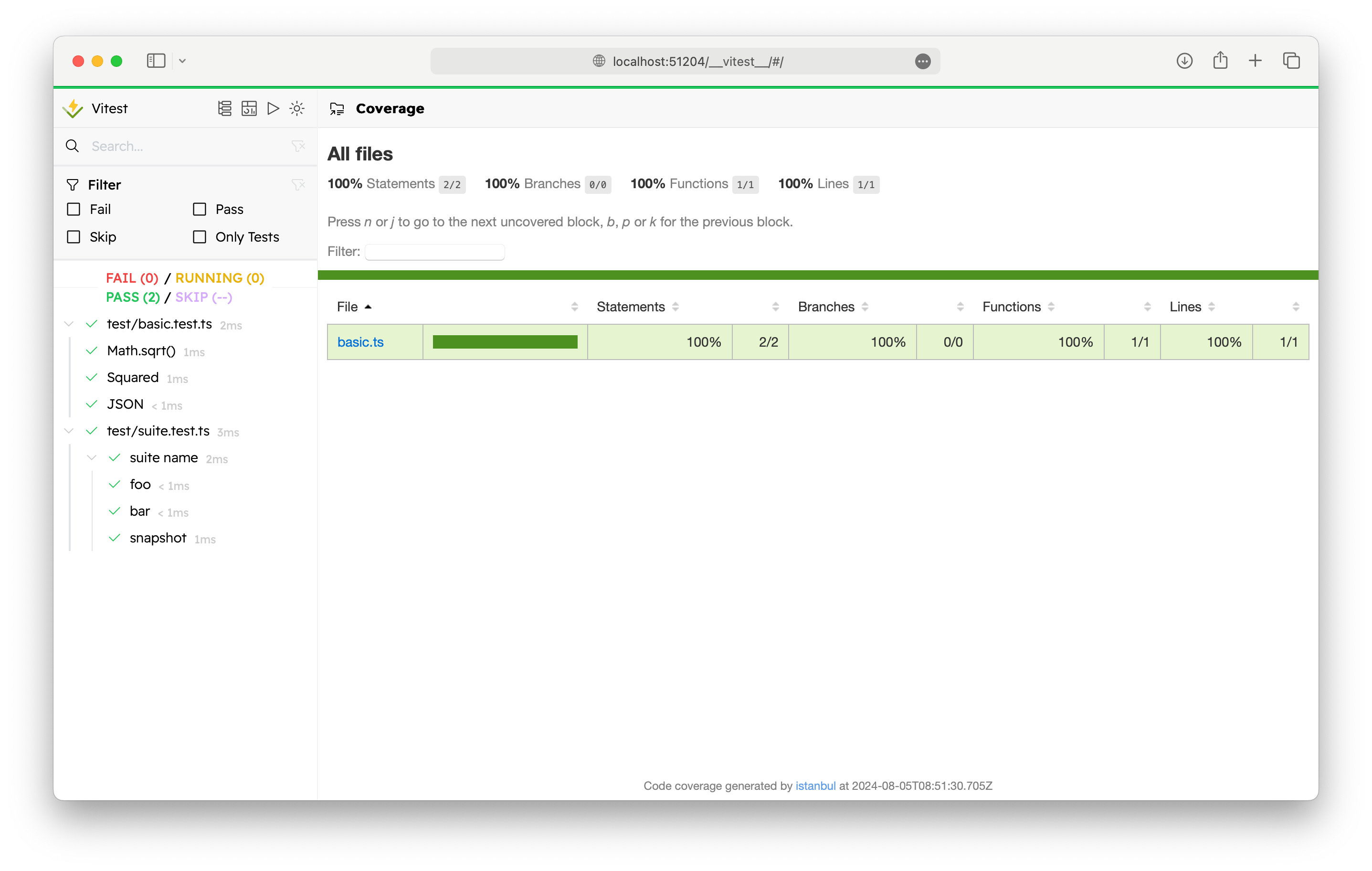
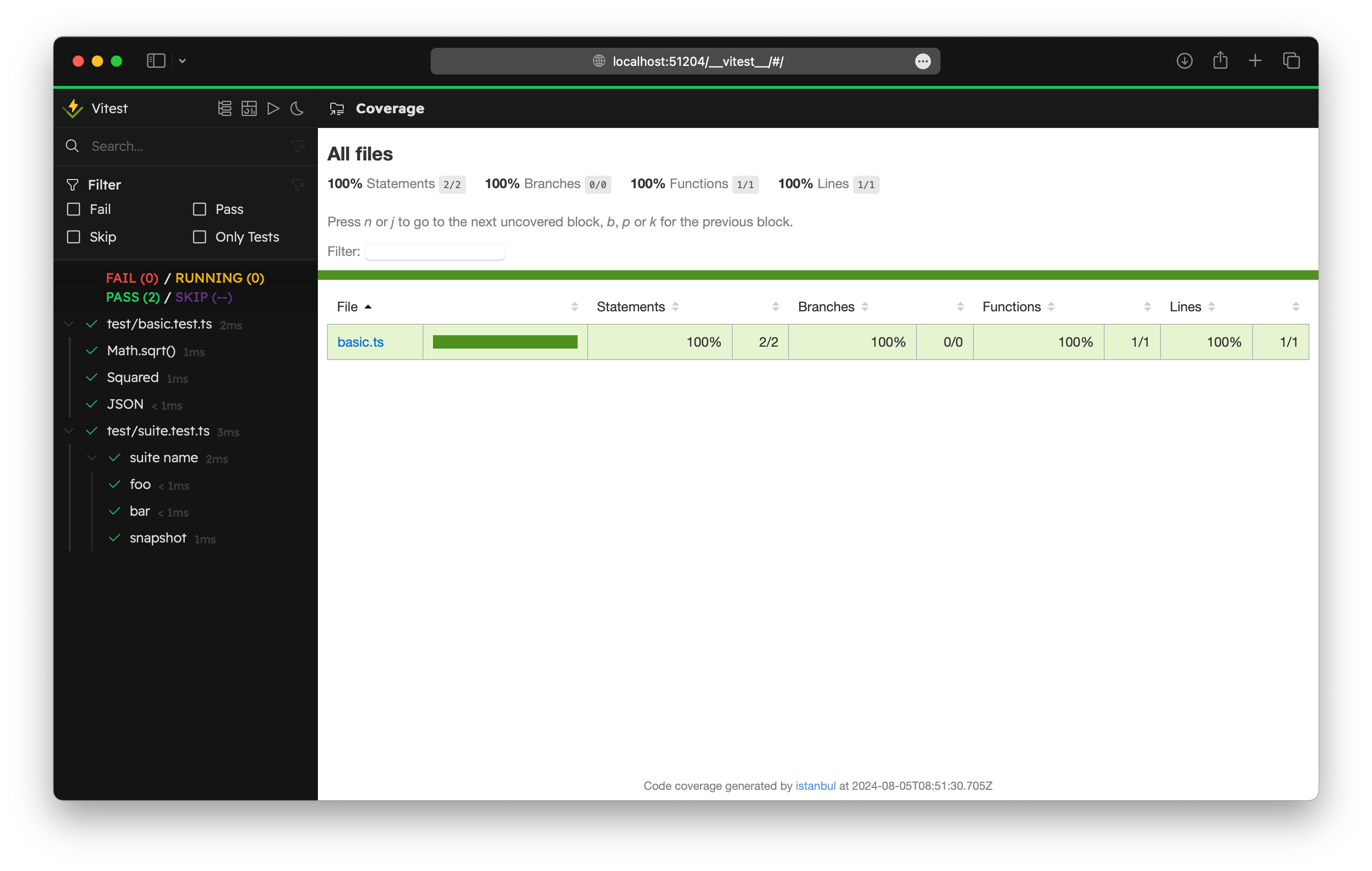
你可以在 Vitest UI 和 HTML 报告器 中查看覆盖率报告。
这与具有 HTML 输出的内置覆盖率报告器集成(html、html-spa 和 lcov 报告器)。html 报告器默认启用,开箱即用。要与自定义报告器集成,你可以配置 coverage.htmlDir。
代理环境中的覆盖率
当 Vitest 检测到它正在 AI 编码代理中运行时,它会自动调整默认的 text 报告器,以减少输出并最小化 token 使用量:
- 在
text报告器上设置skipFull: true,因此覆盖率达到 100% 的文件会从终端输出中省略。 text-summary报告器会自动添加,因此即使skipFull隐藏了所有单个文件,代理也始终能看到一个简洁的总计表。
这些调整仅在 text 报告器已经是活动报告器列表的一部分时才会生效(默认情况下已包含)。显式配置的报告器绝不会被移除。